Before leaving, you look for who is on board across emails, messages and sheets.
With 1clickbook the boarding list is ready with one button.You print it or download it for Excel.For every booking you see who still pays and who already has documents.

Without 1clickbook
- You copy the names of the day's bookings by hand.
- At the pier you ask everyone if they have paid.
- You check documents one by one.
- Last minute bookings are not on the sheet.
With 1clickbook
- From Departures you tap Boarding list on a tour.
- From Today you tap it for the whole day.
- You see name, phone, people, payment, documents and notes.
- You print the sheet or download the file, up to date at that moment.
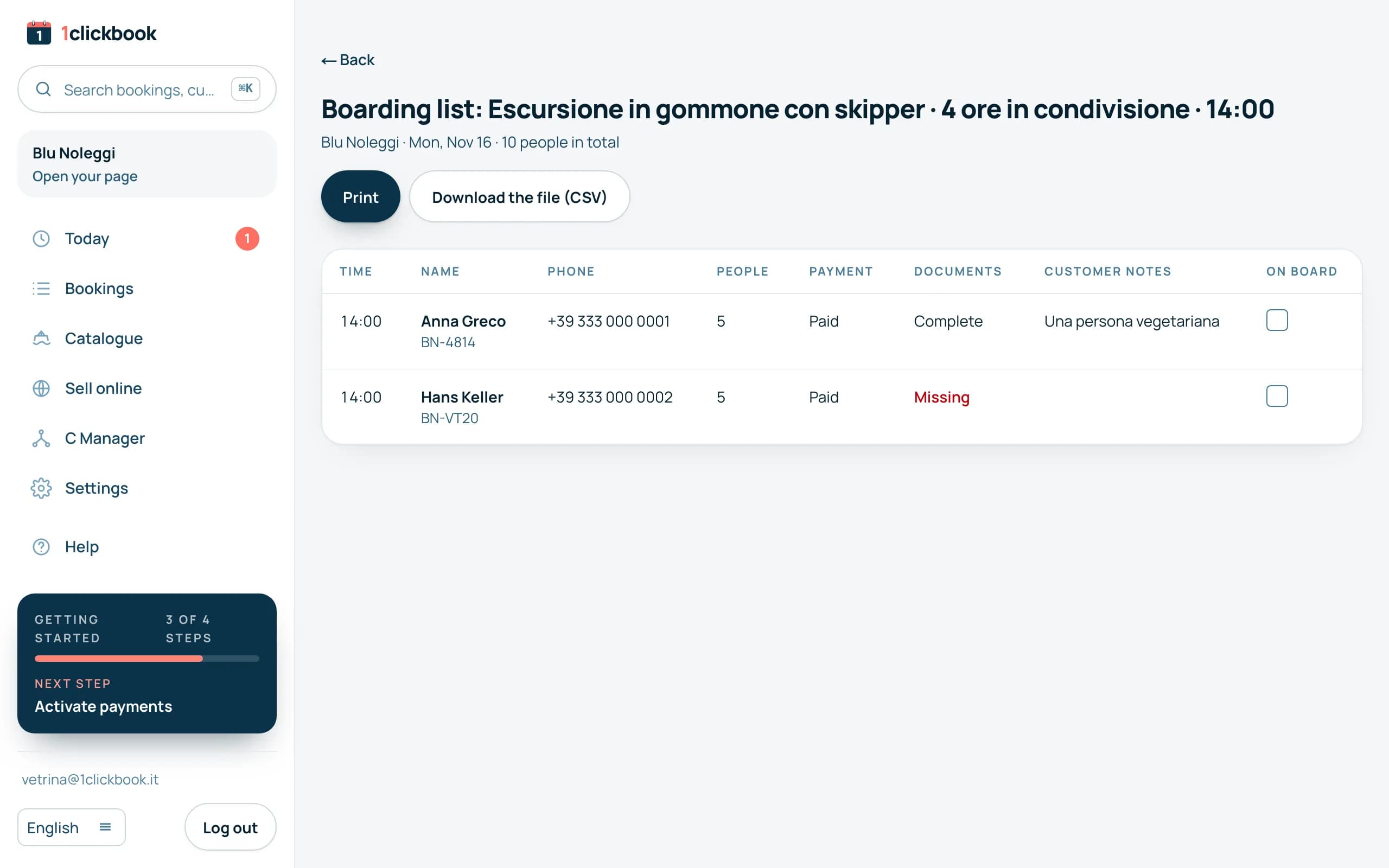
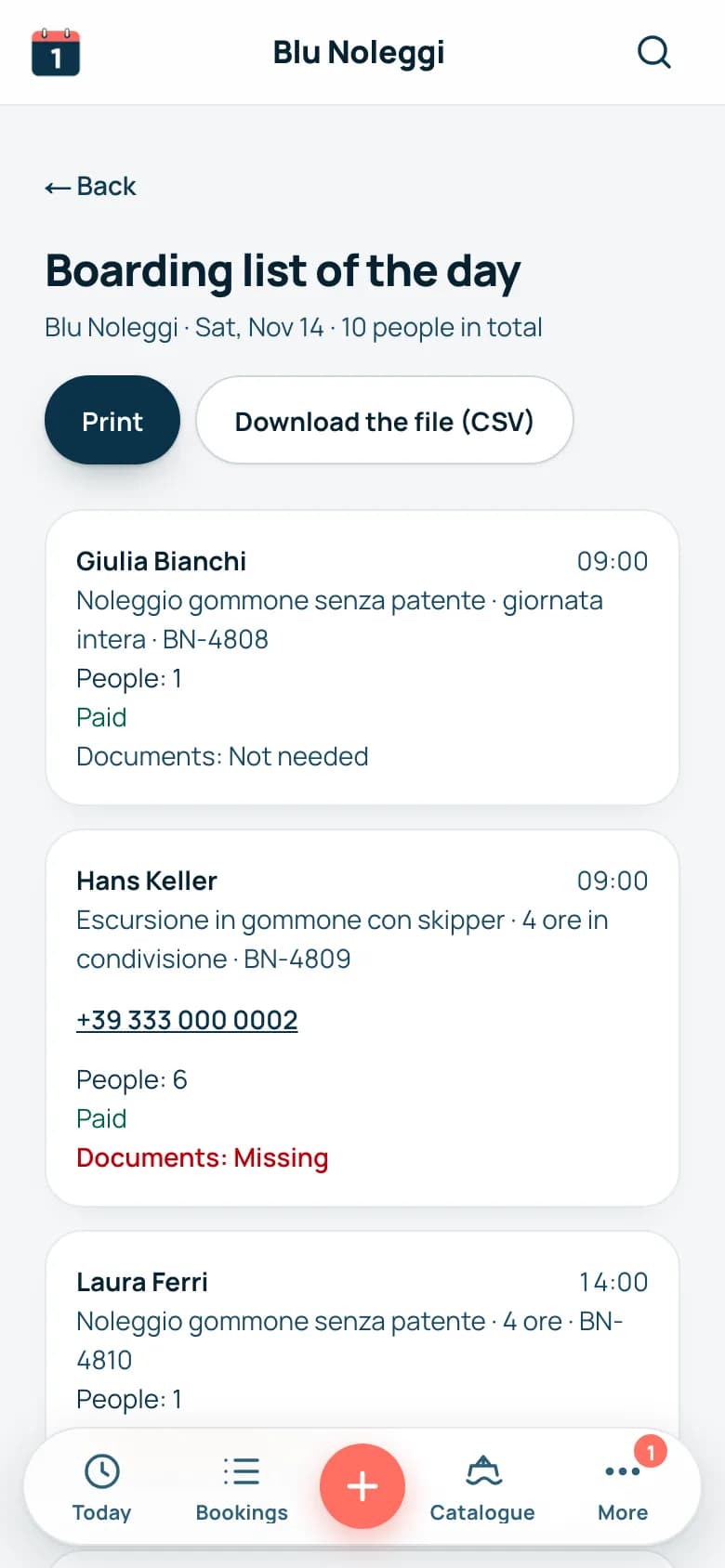
What is on the list.
- Confirmed bookings and those already out, from every channel.
- People by type, as in your price list: for example Adult 2, Child 1.
- Paid or the balance to collect, deposit already taken off.
- Documents complete, missing or not needed.
- The notes written by the customer.
- An On board column to tick with a pen.
Frequently asked questions
Who can open the list?
You, your managers and your staff.
Is it up to date?
Yes.Every time you open it, it reads the bookings of that moment.
Are travel site bookings on it too?
Yes, the confirmed ones from GetYourGuide and connected resellers.Days closed by external calendars have no names: they are not on it.
Does the file open in Excel?
Yes, with one column for each detail.

 A person from our team calls you, not a robot.
Let's talk for half an hour.
We show you the boarding list on the demo.So you know what to print in the morning.