At the pier every rental starts with photocopies of documents.
With 1clickbook the customer uploads ID and licence from their phone.They sign the contract with a finger, before arriving.You check everything in the dashboard and at the pier you leave right away.

Without 1clickbook
- The customer arrives and looks for the licence in the car.
- You photograph documents with your own phone.
- You get the paper contract signed on the car bonnet.
- Meanwhile the other customers wait.
With 1clickbook
- In the confirmation email the customer finds the Upload documents and sign button.
- They photograph ID and licence from their phone.
- They read your contract and sign it with a finger.
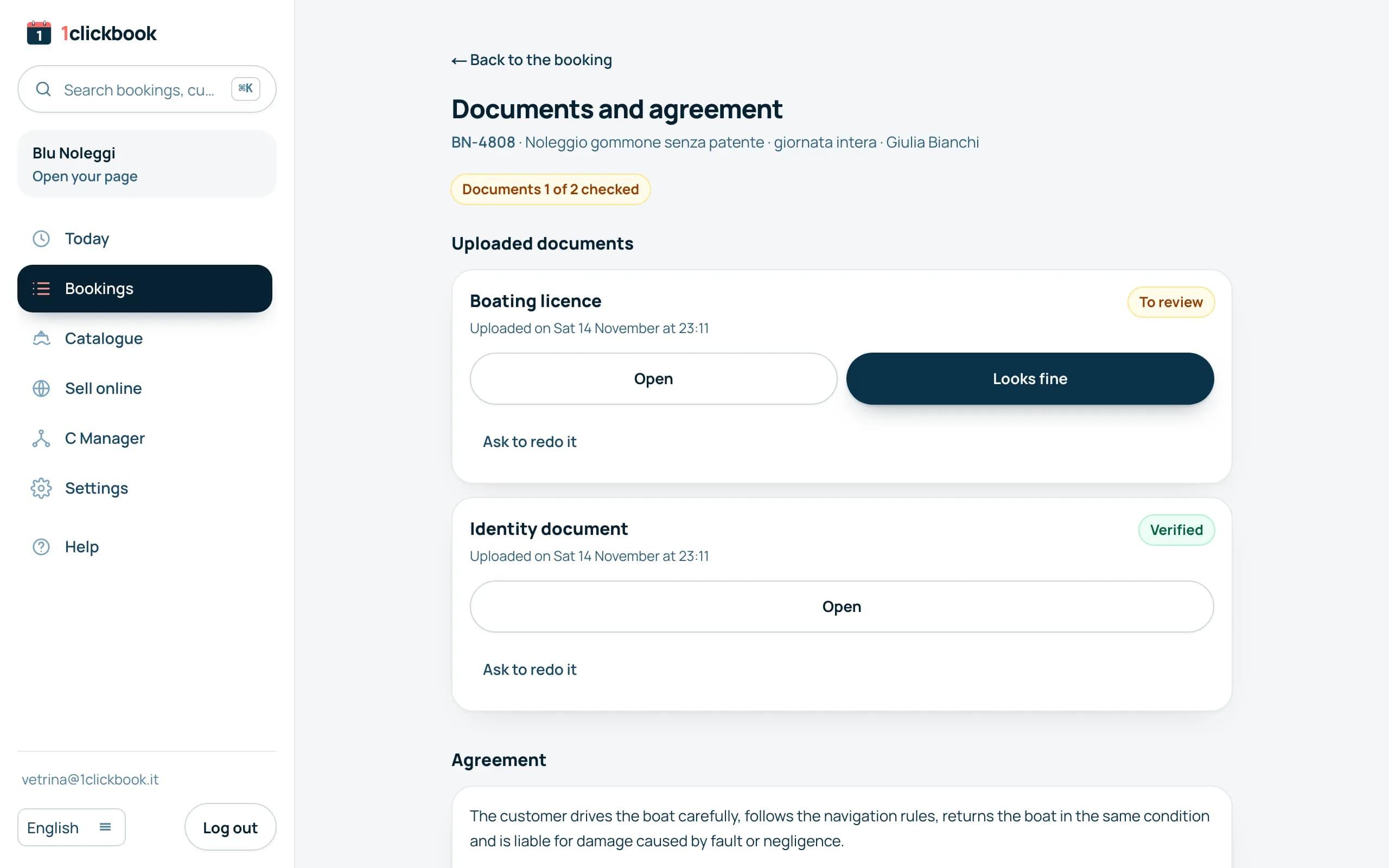
- You see everything in the booking and at the pier you hand over the boat.
What the customer does, from their phone.
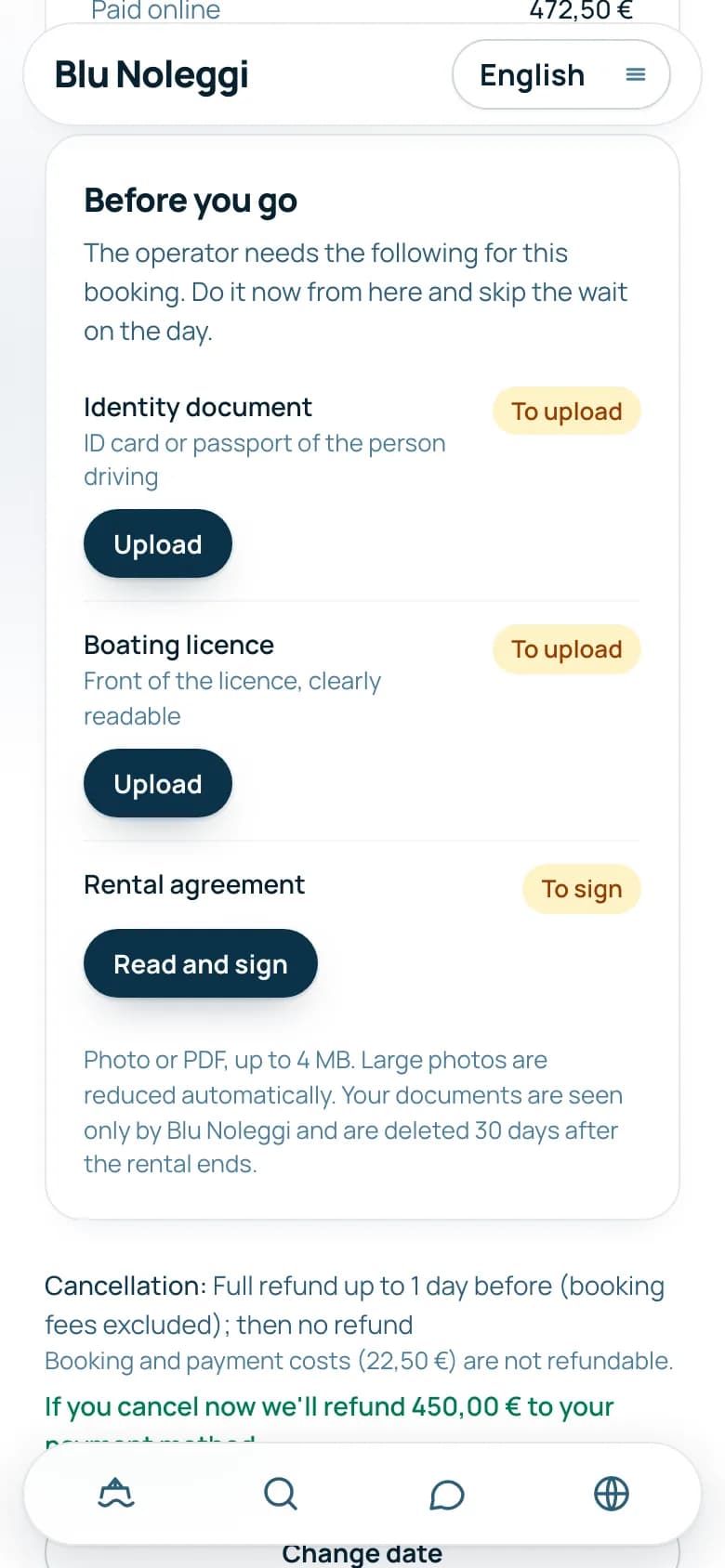
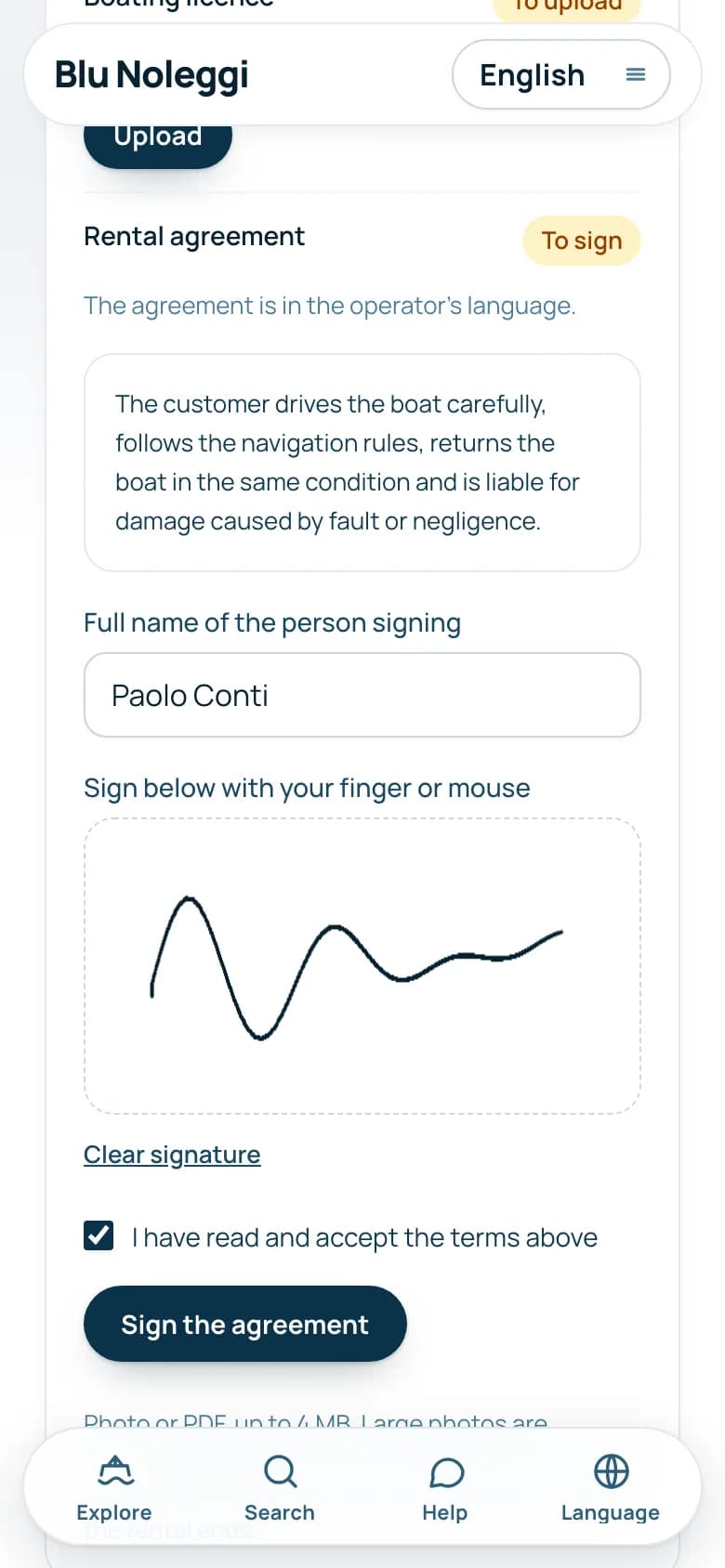
From the button in the confirmation email.They find the Before you go section.
A photo or a PDF for each document.Heavy photos are reduced on their own.
They read the text with their details already filled in.They sign with a finger, write their full name and accept.
They read All set: documents and signature received.If something is missing, they get a reminder the day before.
You set the rules.
What you ask for
For each product you pick ID document, boating licence and signed contract.With a skipper the licence is not asked for.
Your contract
You write it, with customer name, code and date filled in on their own.If you do not write it there is a base text to have checked.
How long you keep documents
7, 30 or 90 days after the rental ends.Signed contracts are kept.
What happens in special cases.
- If a document is not right, you tap Ask to redo it and the customer gets an email.
- You print the signed contract or save it as PDF from the dashboard.
- The signature keeps name, time and signed text: if you change the contract, old signatures do not change.
- If the booking is cancelled, the documents are deleted right away.
- Files are encrypted and you open them only from the dashboard.
- The contract stays in the language you write it in.
Frequently asked questions
Is a finger signature valid?
It is a simple electronic signature, with name, time and signed text.The base text is a starting point: have it checked by your adviser.
Who sees the documents?
Only you and your managers, from the dashboard.The customer reads who sees them and when they are deleted.
What if the customer does not upload them?
They get a reminder the day before.At the pier you can always check them in person.
How many documents per booking?
One ID and one licence, of whoever skippers the boat.

 A person from our team calls you, not a robot.
Let's talk for half an hour.
We show you documents and signature on the demo.Then we prepare your contract text together.