A happy customer goes home and forgets about the review.
With 1clickbook the request goes out on its own, a few hours after the end of the trip.The customer taps a star in the email and the review appears straight away on your page.Only people who booked and took the trip can write one: that is why they are verified.

Without 1clickbook
- You promise yourself to ask for a review at the end of the day.
- In the evening you are tired and ask nobody.
- You send the link by hand, to some and not to others.
- On your website you copy reviews by hand, when you remember.
With 1clickbook
- After every trip the customer gets the email "How did it go?" in their language.
- They tap a star, write a couple of lines if they like and publish.
- The review appears straight away on your 1clickbook page and on your website.
- You get an email with the rating, so you can reply.
What the customer does, from the phone.
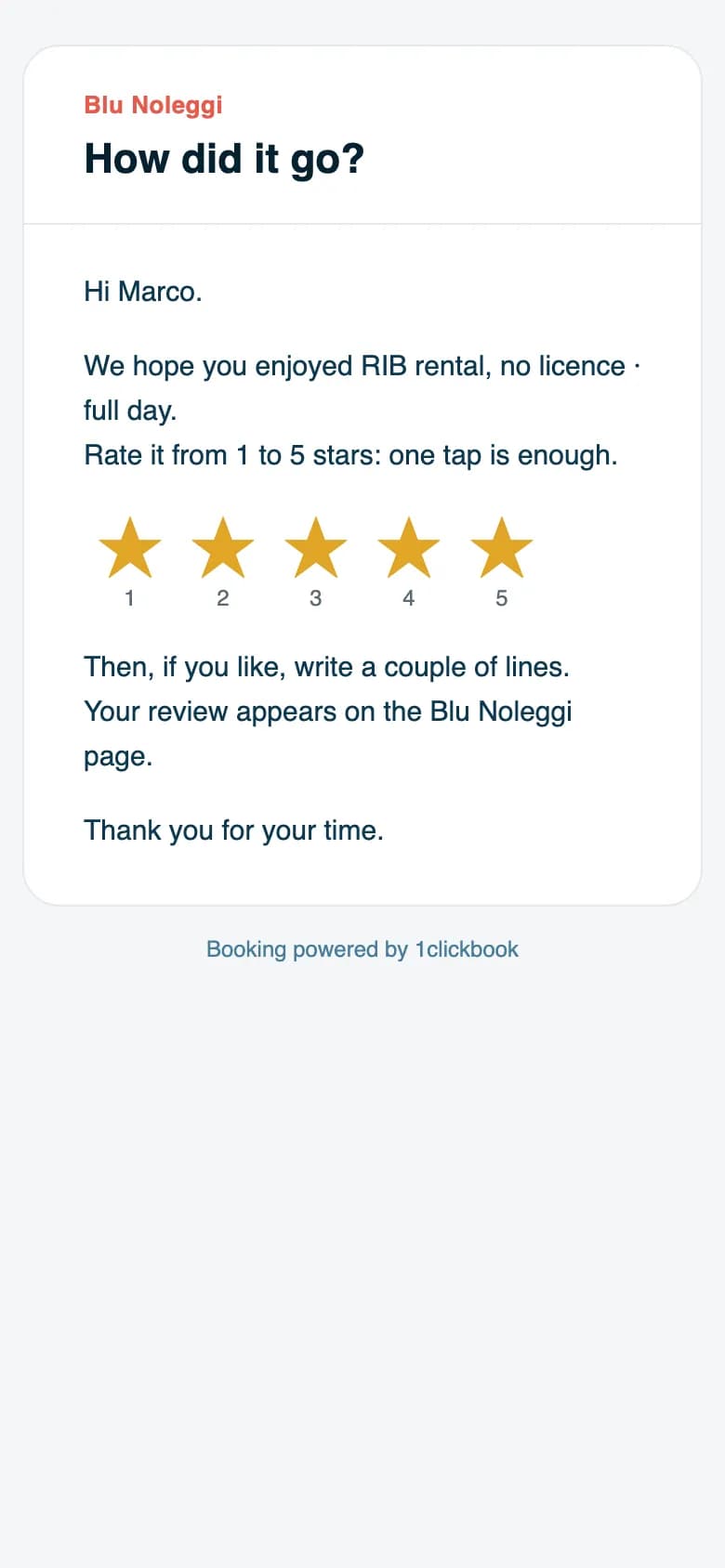
It arrives a few hours after the end of the trip.Inside there are 5 stars to tap.
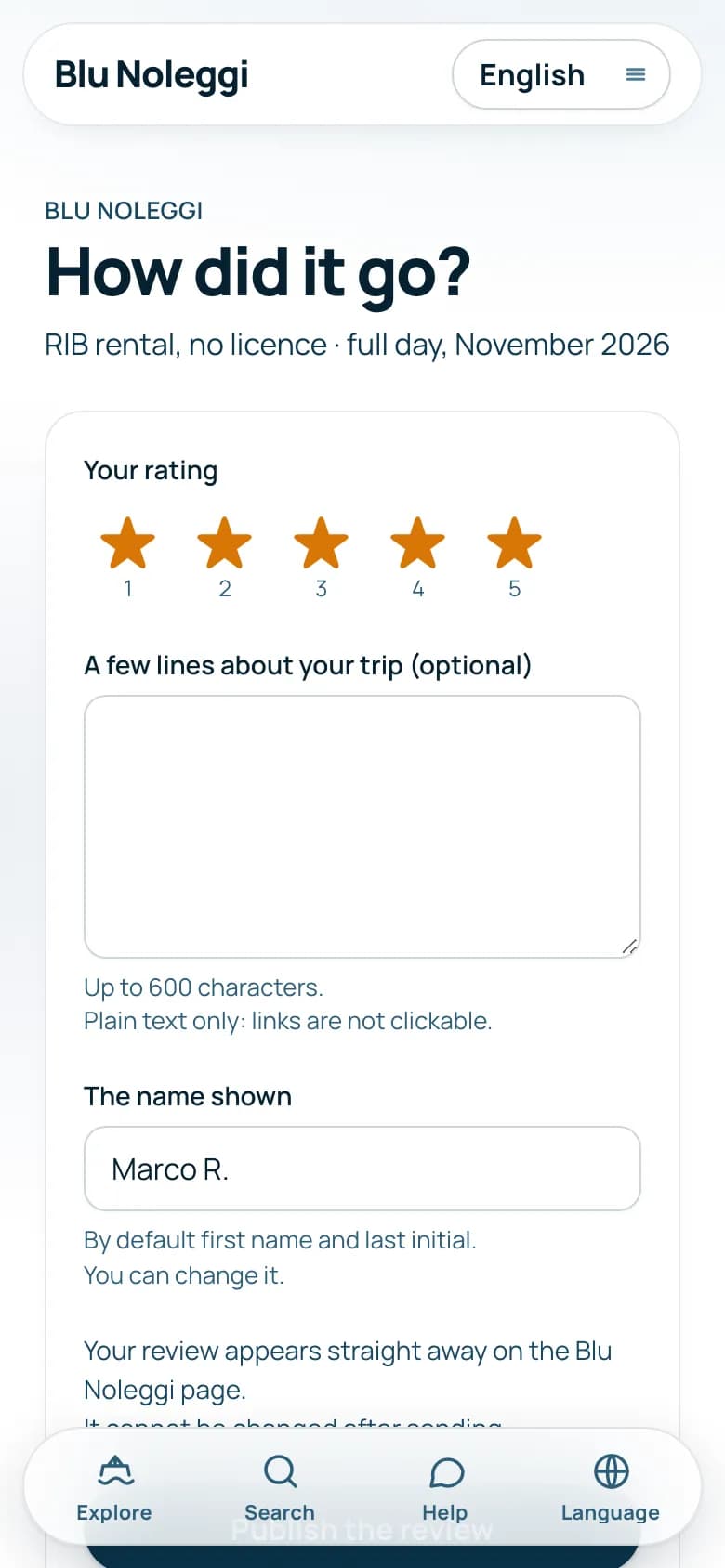
The rating page opens with the stars already chosen.No account and no password needed.
Up to 600 characters.The name shown is first name and last initial by default: they can change it.
The review appears straight away on your page.If you added the link of your Google profile, we invite them to leave it there too.
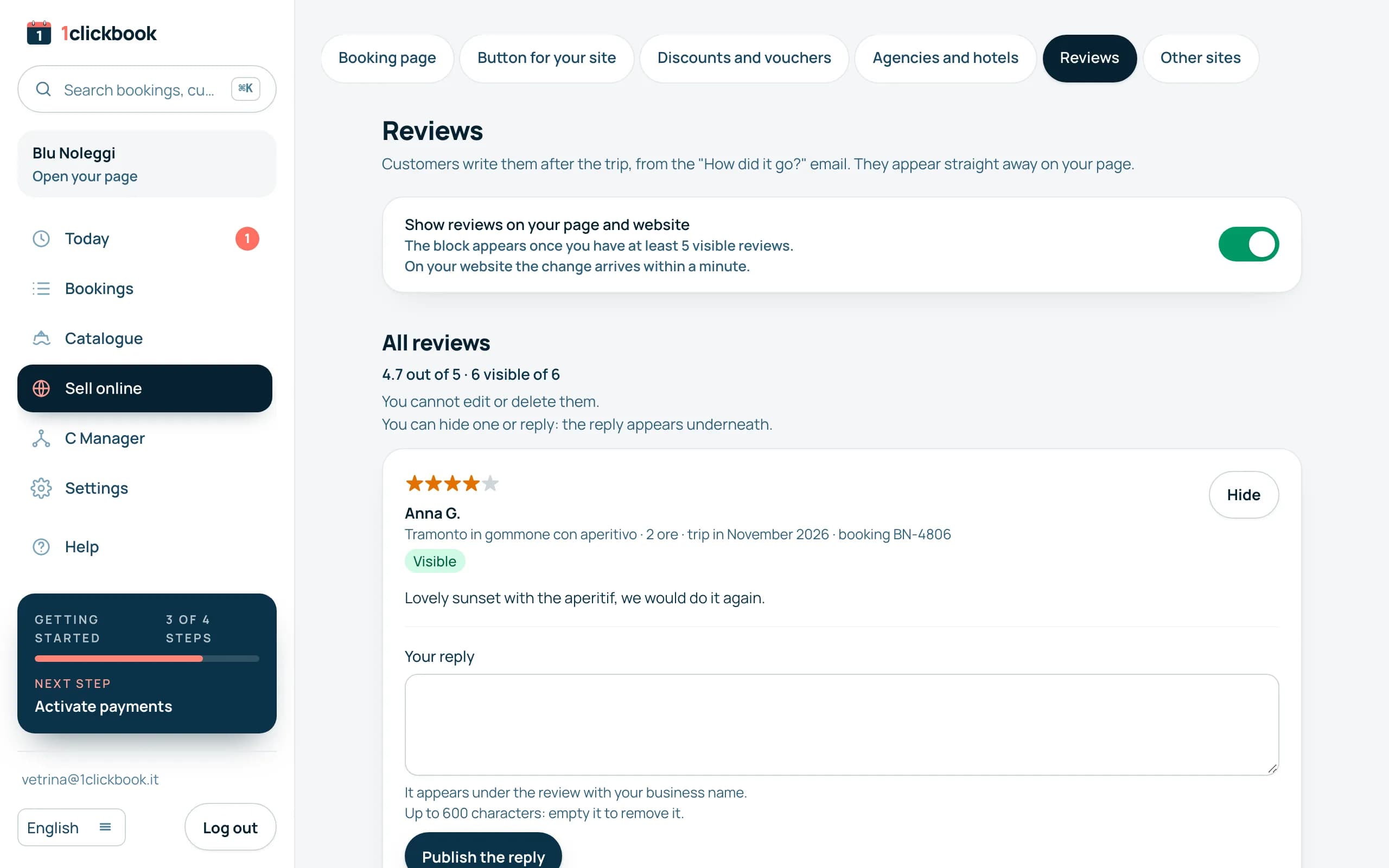
What you decide.
Reply
Your reply appears under the review, with the name of your business.
Hide
Nobody sees a hidden review.You can show it again whenever you like.
Show the block
The reviews block is on by default.You switch it off in the dashboard and it disappears from your website within a minute.
What happens in special cases.
- The block appears when you have at least 5 visible reviews: average rating, count and the latest 6.
- On a product page only the reviews of that product appear.
- On your website you add the block with one line of code or with the WordPress plugin.
- Each booking can leave only one review.
- It does not go out for no-shows, cancelled bookings or customers who left no email.
- It also goes out for bookings you add in the dashboard, if the customer's email is there.
- Reviews cannot be edited or deleted, neither by you nor by the customer.
Frequently asked questions
Who can leave a review?
Only people who booked and took the trip, from the link in their email.The link works only for their booking.
Can I delete a bad review?
No, but you can hide it or reply.Readers also see how you reply.
How do I find out?
For every new review you get an email with the rating and the text.The Reply or hide button takes you to the dashboard.
What about my Google profile?
If you add the link of your profile, after the rating we invite the customer to leave it there too.The link is optional.
Can I switch the email off?
Yes, in Settings, Customer messages.The email text is the same for everyone, with the name of your business and of the product.
Can the customer put a link in the review?
They can write it, but it is not clickable.The review is plain text.

 A person from our team calls you, not a robot.
Let's talk for half an hour.
We show you the email and the block on the demo.Then we look together at where to put it on your website.