Every date change costs you a phone call.
With 1clickbook the customer moves the trip on their own, from the link in their email.The price stays the one already paid.You get an email with the old date and the new one.

Without 1clickbook
- The customer texts you on WhatsApp while you are out at sea.
- In the evening you open the calendar and look for a free day.
- You suggest two dates and wait for an answer.
- You move the booking by hand and hope nobody took that day in the meantime.
With 1clickbook
- The customer opens the link in the confirmation email, even in the evening.
- They pick a day and 1clickbook checks right away that it is free.
- They confirm: the booking moves on its own.
- You get an email and the calendar is already up to date.
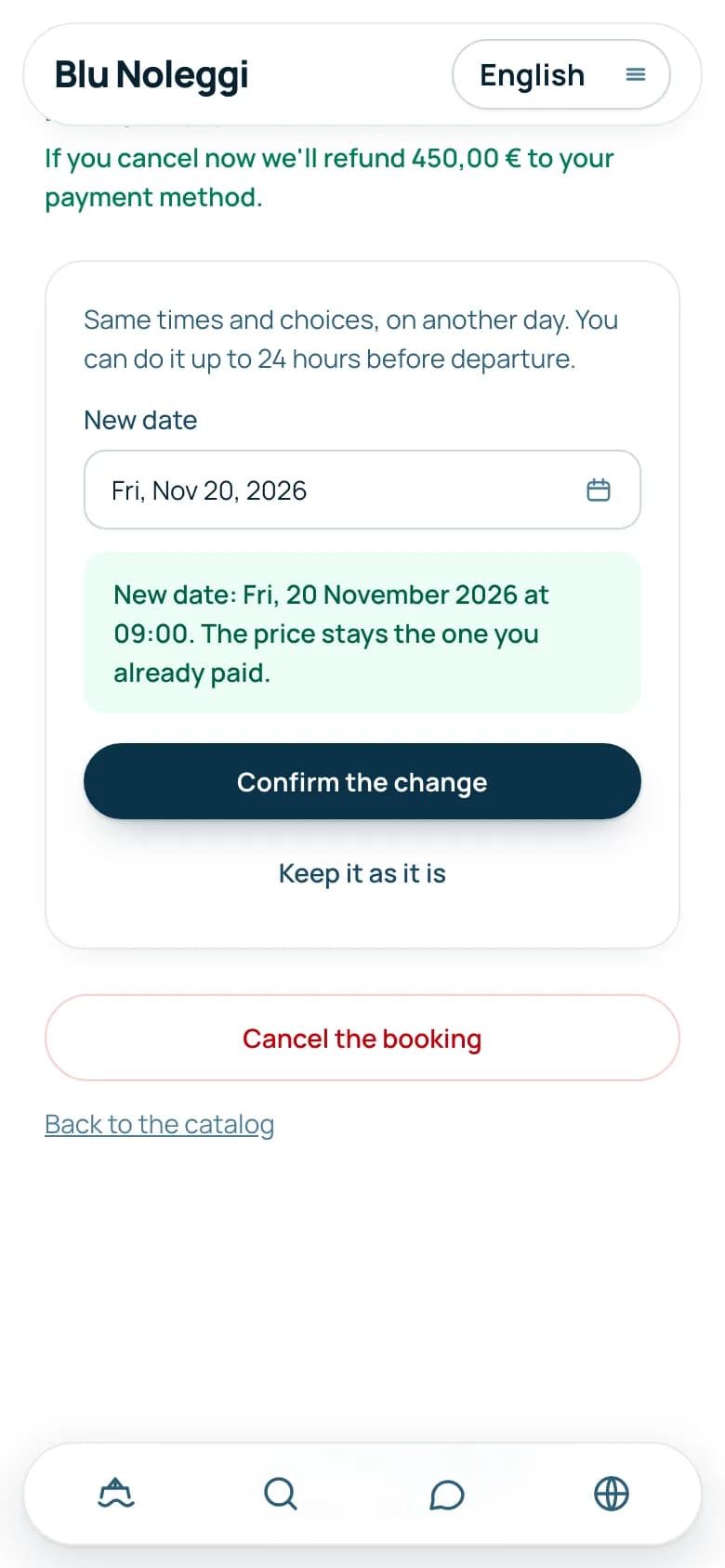
What the customer does, from their phone.
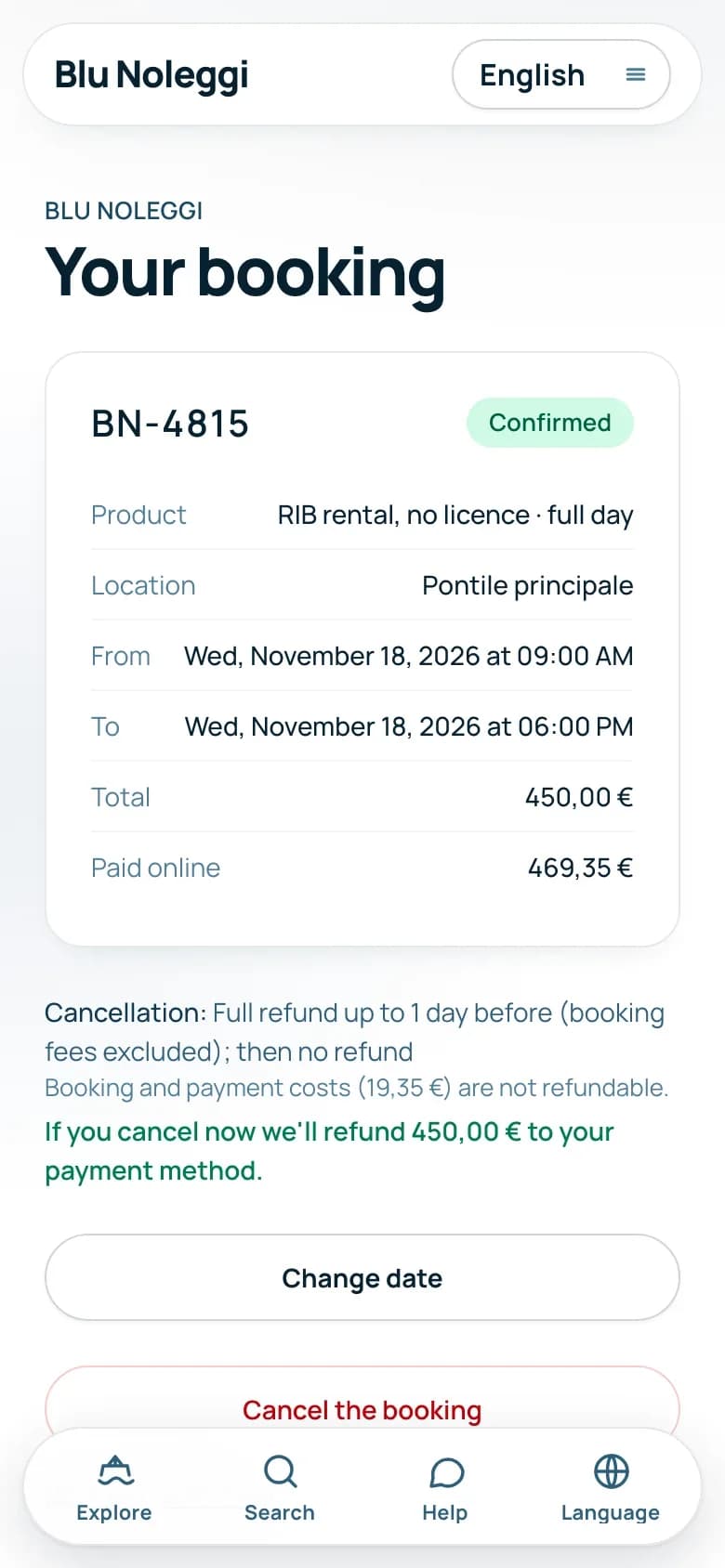
They tap the link in the confirmation email.No account and no password needed.
Below the button they read until when they can do it.For example up to 48 hours before departure.
1clickbook checks that there is room and that the price stays the same.If the day does not work, they see it right away and try another one.
The booking moves to the new day, with the same times and the same choices.The customer gets an email with the new date.
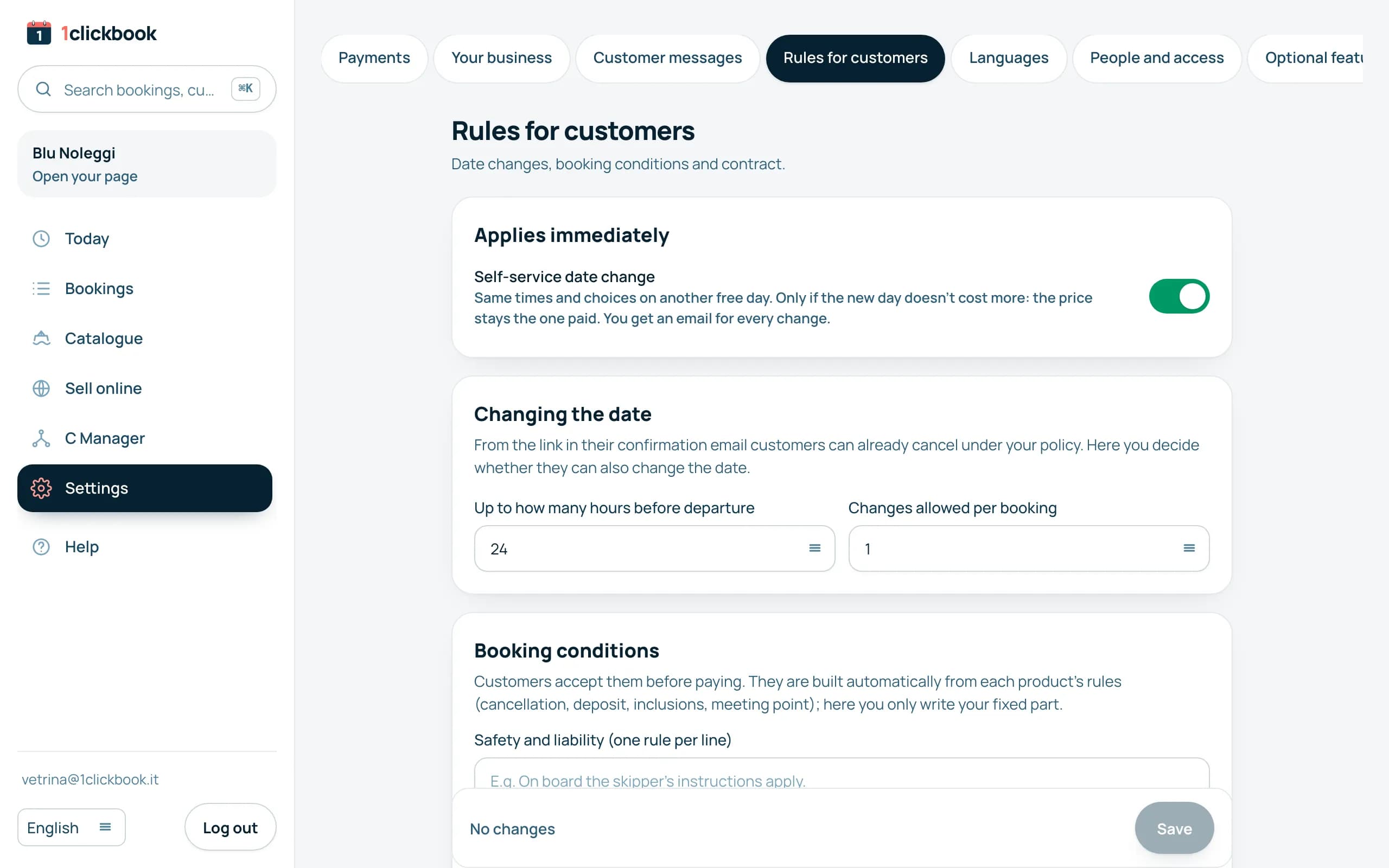
You set the rules.
On or off
Date changes are on by default.You switch them off in the dashboard whenever you want.
Until when
24 hours, 48 hours, 72 hours or one week before departure.After that, the customer contacts you to move.
How many times
From 1 to 5 changes per booking.The default is one.
What happens in special cases.
- Only the day changes: same times, same product, same people and extras.
- If the new day costs more, the change does not go through on its own: the customer reads that they need to contact you.
- If it costs less, the price stays the one paid: the customer reads this before confirming.
- It works for bookings made online, on your website or on your 1clickbook page.
- It does not work for groups, for trips given with a gift card or for bookings from online travel agencies.
- The new day always starts from tomorrow, with the minimum notice of the product.
- The day left free goes back on sale, also for whoever is on the waiting list.
Frequently asked questions
Can the customer also change the time or the product?
No, on their own they only change the day.For a different time they write to you and you move it from the dashboard.
What happens if the new day costs more?
The change does not go through on its own.The customer reads that for that date they need to contact you.
And if it costs less?
The price stays the one already paid and the difference is not refunded.The customer reads this before confirming.
Can I switch date changes off?
Yes, in the dashboard, under Settings.There you also choose up to how many hours before and how many times.
How do I find out?
You get an email with the booking code, the old date and the new one.Calendar and departures are already up to date.
Does the customer need to sign up?
No.They get in from the link in the confirmation email, which only opens their booking.
What if they want to cancel instead?
They cancel from the same link.The refund follows your terms and goes out on its own.

 A person from our team calls you, not a robot.
Let's talk for half an hour.
We show you date changes on the demo.Then we pick the right rules for your business together.